
How to Post a Job
Follow this simple step-by-step guide to create your first job posting and connect with top healthcare talent
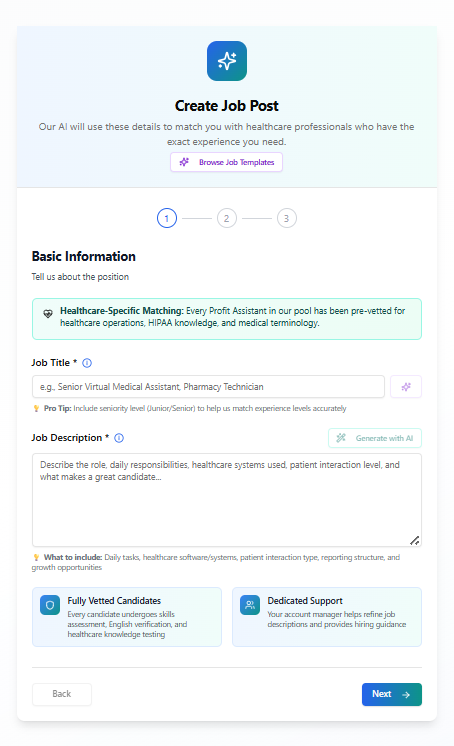
Create Your Job Post
Start by filling in the basic information about your position. Our AI-powered system will use these details to match you with healthcare professionals who have the exact experience you need.
Enter Job Title
Specify the exact role you're hiring for (e.g., Senior Virtual Medical Assistant, Pharmacy Technician)
Write Job Description
Describe the role, daily responsibilities, required healthcare systems, patient interaction level, and what makes a great candidate
AI-Powered Matching
Our system analyzes your requirements and pre-vets candidates for healthcare experience, HIPAA knowledge, and medical terminology expertise
Browse Job Templates
Save time by starting with pre-built templates for common healthcare roles
Pro Tip
Include seniority level (Junior/Senior) to help us match experience levels accurately. The more specific you are, the better matches you'll receive.
What's Included
- Fully vetted candidates
- Dedicated support manager
- AI-powered assistance
Coming Next
Review Candidates
Browse through pre-vetted healthcare professionals matched to your requirements
Schedule Interviews
Connect with top candidates and make your hiring decision with confidence